


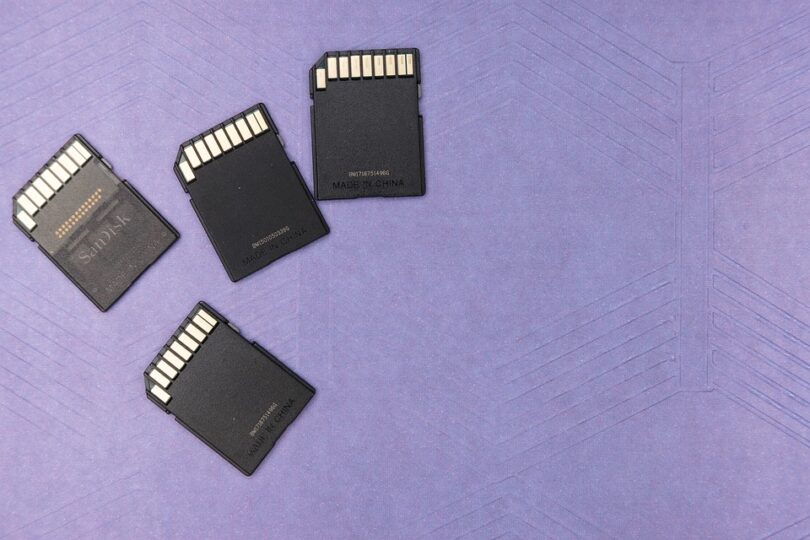


In today’s digital world, where speed and efficiency are paramount, the choice between Solid State Drives (SSDs) and Hard Disk Drives (HDDs) is becoming increasingly significant. As technology continues to advance, understanding the advantages of SSDs over traditional HDDs is crucial for anyone looking to improve their computer performance.
What Are SSDs and HDDs?
Before diving into the advantages of SSDs, it is essential to understand the basic functioning of both SSDs and HDDs.
HDDs, or Hard Disk Drives, have been the standard storage solution for decades. They utilize magnetic disks to read and write data. These disks spin at high speeds, while a mechanical arm moves to access the data. This mechanical nature can lead to delays in accessing information.
On the other hand, SSDs, or Solid State Drives, utilize flash memory to store data, which has no moving parts. This design not only allows for faster data access speeds but also increases durability since SSDs are less prone to physical damage.
The Advantages of SSDs
1. Speed and Performance
The most significant advantage of SSDs over HDDs is speed. SSDs are capable of reading and writing data significantly faster than HDDs. This speed results in quicker boot times, faster file transfers, and overall more responsive system performance. Users can experience boot times of about 10-30 seconds with SSDs compared to 30-60 seconds or more with HDDs.
2. Reliability and Durability
SSDs have a substantial advantage in terms of reliability. Because they lack moving parts, SSDs are less susceptible to mechanical failure. In contrast, HDDs can suffer from issues like head crashes and motor failures. This durability makes SSDs a better option for portable devices such as laptops where shock and movement can lead to HDD damage.
3. Energy Efficiency
SSDs require less power compared to HDDs. This energy efficiency translates to longer battery life for laptops and less energy consumption for desktop computers. With a growing emphasis on energy conservation, SSDs are increasingly favored for their lower carbon footprint.
4. Noise and Heat Generation
In addition to speed and durability, SSDs operate silently. Since there are no moving parts in an SSD, it produces minimal noise during operation. Conversely, HDDs can generate noticeable noise due to spinning disks and moving read/write heads. Similarly, SSDs produce less heat compared to HDDs, contributing to a cooler operating environment, which can contribute to the longevity of the computer.
5. Form Factor Flexibility
Another significant advantage of SSDs is their versatility in form factors. SSDs come in various sizes and shapes, including the standard 2.5-inch format, M.2, and PCIe formats. This flexibility allows them to fit into a wide range of devices, from ultrabooks to enterprise servers, making them a preferred choice for modern hardware designs.
Considerations when Choosing SSDs
While SSDs offer numerous advantages, it’s essential to consider factors such as cost and storage space. SSDs generally come at a higher price per gigabyte compared to HDDs, making them less accessible for users needing vast amounts of storage on a budget. However, as technology advances, SSDs are becoming more affordable and offer higher capacities than before.
Conclusion
In summary, the transition from HDDs to SSDs provides unparalleled advantages in speed, durability, power consumption, and overall performance. These factors make SSDs the superior choice for enthusiasts, gamers, and professionals alike. As technology continues to evolve, adopting SSDs will likely become the standard in computing, unlocking new possibilities for speed and efficiency in the digital age.
FAQs
1. Are SSDs worth the extra cost compared to HDDs?
Yes, SSDs are generally worth the extra cost due to their superior speed, durability, and efficiency. For users who require quick access to data and better overall performance, the investment is justified.
<h3>2. Can I use an SSD and HDD together in a computer?</h3>

<p>Absolutely! Many users opt for a dual storage solution, where an SSD is used for the operating system and frequently accessed applications, while an HDD is used for storing larger files like videos and photos.</p>
<h3>3. How long do SSDs last?</h3>

<p>SSDs typically have a lifespan of about 5-10 years, depending on usage and write cycles. However, advancements in technology and wear-leveling algorithms can extend their life even further.</p>
<h3>4. Are SSDs more prone to data loss than HDDs?</h3>

<p>SSDs are generally more reliable than HDDs due to their lack of moving parts. However, they can still experience data loss due to power failures or firmware issues, so regular backups are always recommended.</p>
<h3>5. What size SSD do I need?</h3>

<p>The size of the SSD you need depends on your usage. For general use, a 250-500GB SSD is often sufficient, whereas gamers or professionals working with large files may want 1TB or more.</p>


